A HUD for your tablet

Landing, power management, quantum, operator modes, shields, targeting, salvage, mining, doors and emotes, on a two-half HUD that pages through panels. Phones get their own layout.
 Tablet Deck
// STAR CITIZEN CONTROL DECK
A HUD-style button deck in your tablet's or phone's browser. Every button presses real keys on your gaming PC: landing gear, quantum, shields, power, mining and more.
Free and open source (MIT). No app on the tablet, no account.
Releases aren't code-signed yet; each one lists its installer's checksum. Code signing policy
Fan project. Not affiliated with or endorsed by Cloud Imperium Games. Star Citizen and the manufacturer names belong to their owners; the emblems are original designs.
// FEATURES
Landing, power management, quantum, operator modes, shields, targeting, salvage, mining, doors and emotes, on a two-half HUD that pages through panels. Phones get their own layout.
"Landing gear", "engage quantum", "shields up". Hold the mic button and speak. Windows' built-in speech recognition, offline.
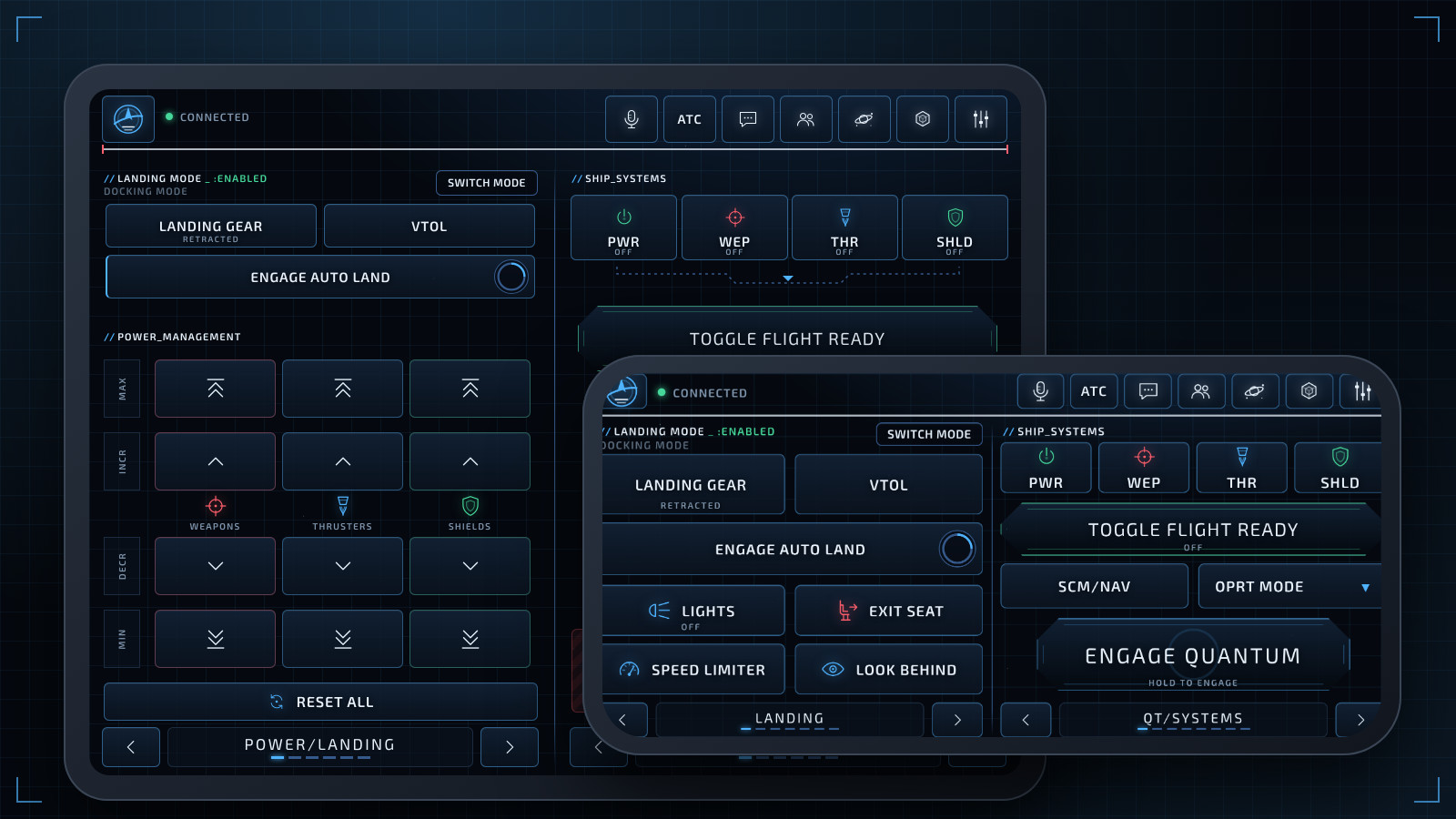
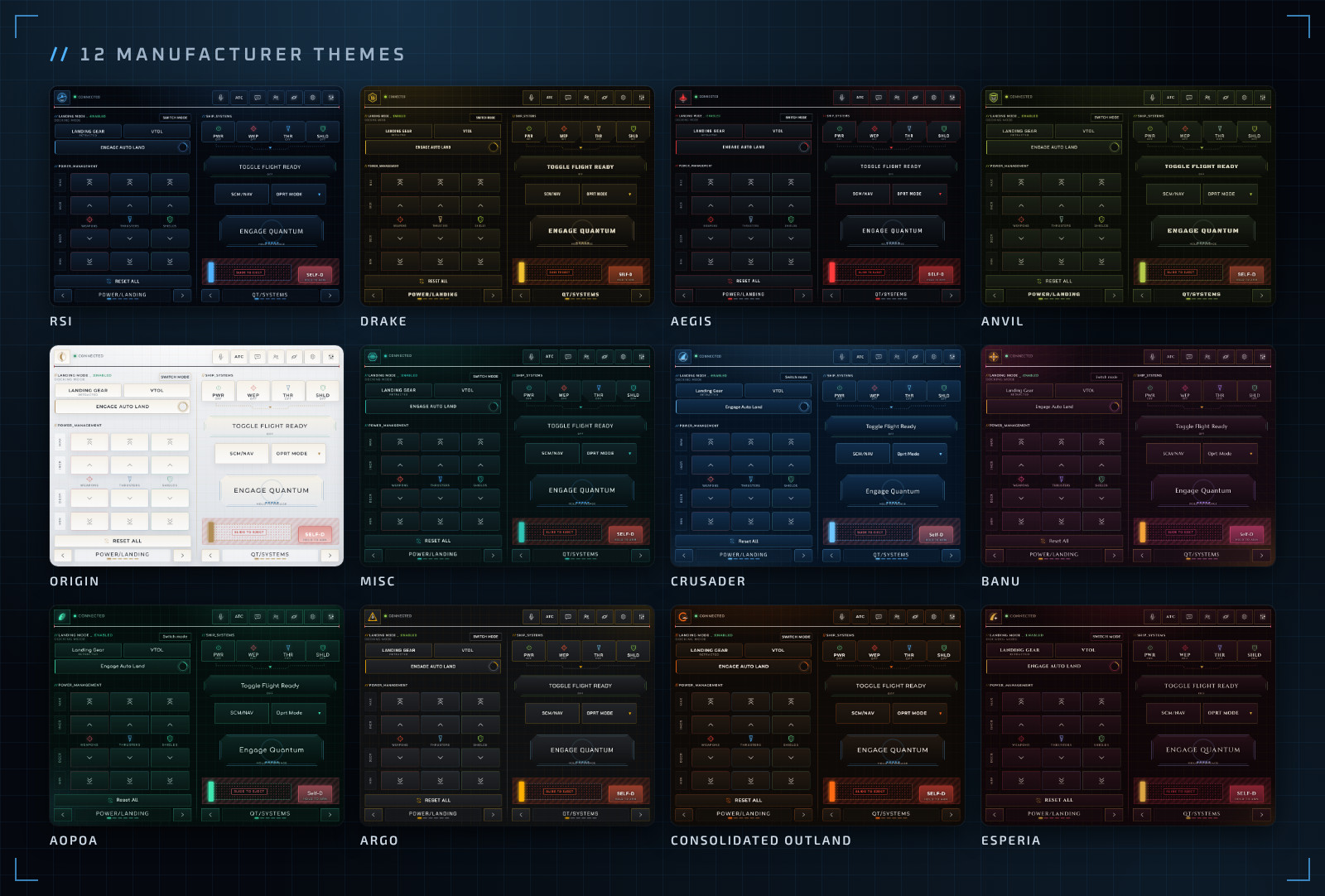
RSI, Drake, Aegis, Anvil, Origin, MISC, Crusader, Banu, Aopoa, Argo, Consolidated Outland and Esperia, with press animations, a night mode, large text and high contrast.
Drag buttons around and change their keys, labels, icons and animations. Share layouts as files, or pick a starter layout for Combat, Mining & Salvage, Hauling & Exploration, the Prospector or the Vulture.
Reads your Star Citizen keybinds, so rebinding in-game moves the button with it. An optional profile covers actions with no default key.
One installer. A window with the QR code, a tray icon, settings, start with Windows, and updates with one click.
// ANY TABLET, ANY PHONE
It runs in the browser, so there's nothing to install on the tablet. Scan the QR code, add it to your home screen, and it opens full screen like an app. The screen stays awake mid-flight.
// MAKE IT YOURS
// LAYOUT EDITOR
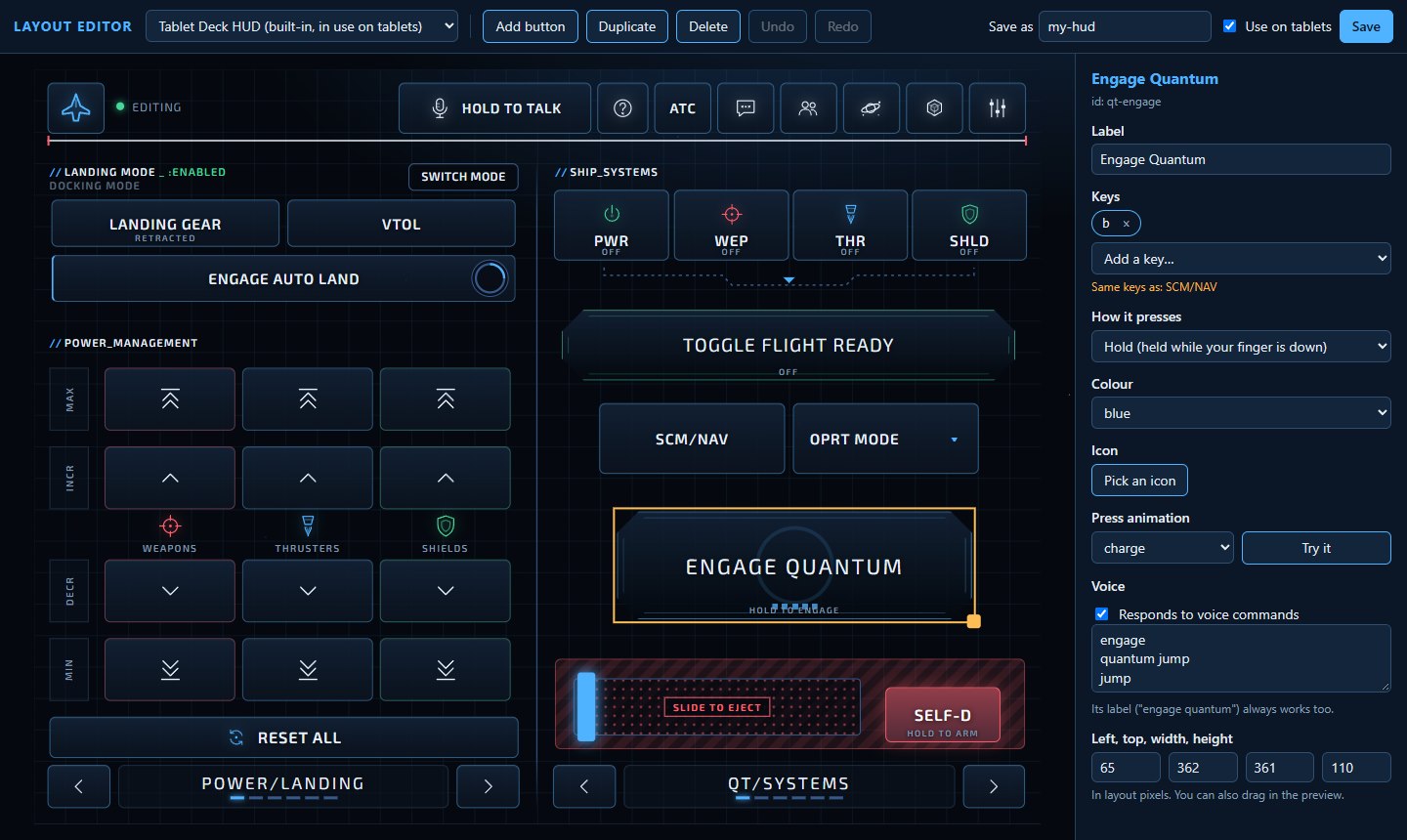
The editor shows the deck exactly as your tablet does. Drag to move and resize, pick keys from a list so they're always valid, and set colours, icons, press animations and voice phrases. Save, and your tablets switch to it by themselves.
// ON YOUR PC
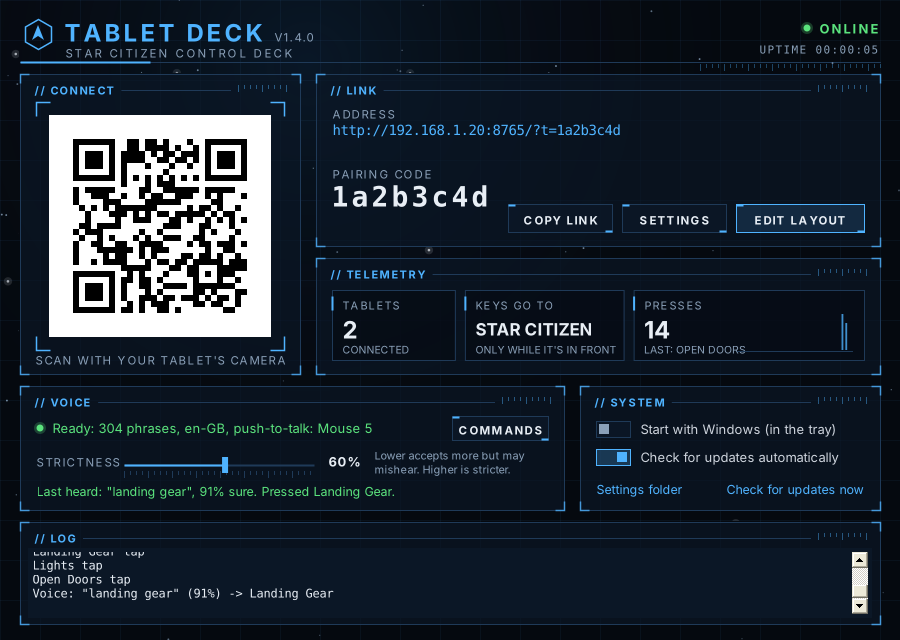
The app on your PC shows the QR code and pairing code to connect, and live telemetry: tablets connected, where keys go and the presses of the last minute. Voice status, settings and a log are a glance away, and it tucks into the tray while you fly.
// GET STARTED
Download the installer and run it on your gaming PC. It adds Tablet Deck to the Start menu and, if you like, the Star Citizen keybind profile.
Open Tablet Deck and scan its QR code with your tablet's camera, or type the address and pairing code.
Click into Star Citizen and tap away. Keys only go through while the game is the window in front.
Releases aren't code-signed yet; each one lists its installer's checksum. Code signing policy
// FAQ
Yes, completely, and the source is on GitHub under the MIT license. It's a fan project, and there's no paid version.
It presses ordinary keyboard keys, one press per tap, like a second keyboard. No automation or macros, and it doesn't touch the game's files or memory. Keys only go through while Star Citizen is the window in front.
The installer isn't code-signed yet, so Windows doesn't know the publisher. Click More info, then Run anyway. Every release lists the installer's checksum, and all the code is public on GitHub.
Windows 10 or 11 on the gaming PC, and a tablet or phone with a browser on the same Wi-Fi or network. The voice commands need the English speech recognizer that comes with Windows.
Not yet: the part that presses keys is Windows-only. The tablet can be anything with a browser.
No accounts, ads or tracking. The app only checks GitHub for updates (you can turn that off), and the tablet loads the theme fonts from Google Fonts.